
See what’s filling your Mac.
Clean up without the guesswork.
SpaceWise is a free disk space analyzer for Mac. It scans your disk, explains where the space went in plain language, and helps you decide what to remove. No accounts, ads or tracking.
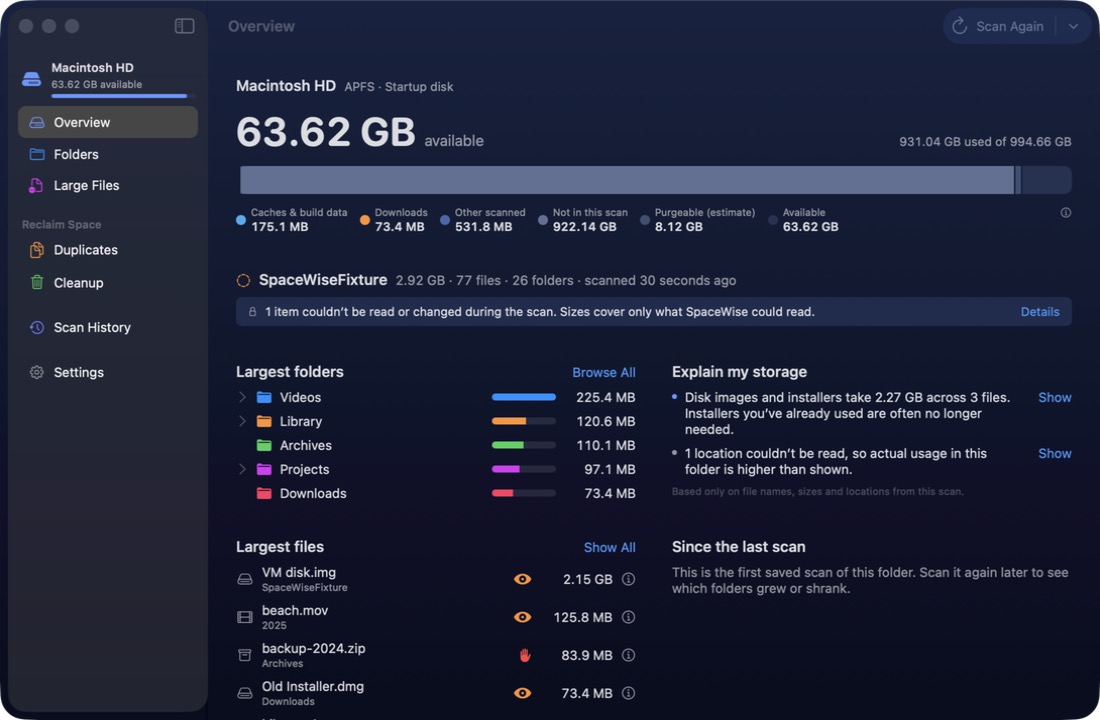
Everything you need to understand your storage
A fast native scanner, honest numbers and clear explanations, so you know what each item is before you decide anything.
Storage overview
Free space, the largest folders and files, and a breakdown into downloads, caches, applications and large files.
Explain my storage
Plain-language notes such as “Video files account for 26% of this scan” with a link to each.
Folders and large files
Browse folders with a storage map, search the whole scan, and filter large files by type and age.
Exact duplicates
Finds byte-for-byte copies and always keeps at least one. Copies inside app data are protected.
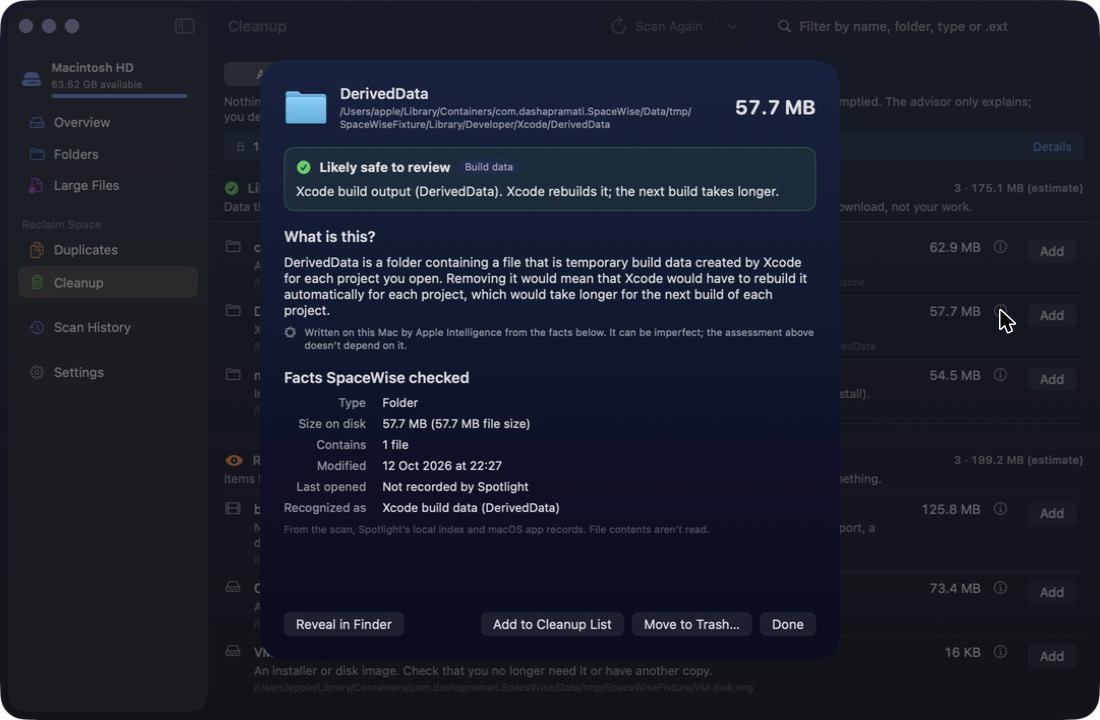
What is this?
Ask about any item and get a short explanation written on your Mac by Apple Intelligence, where available.
Scan history
Compare scans over time to see which folders grew or shrank since last time.
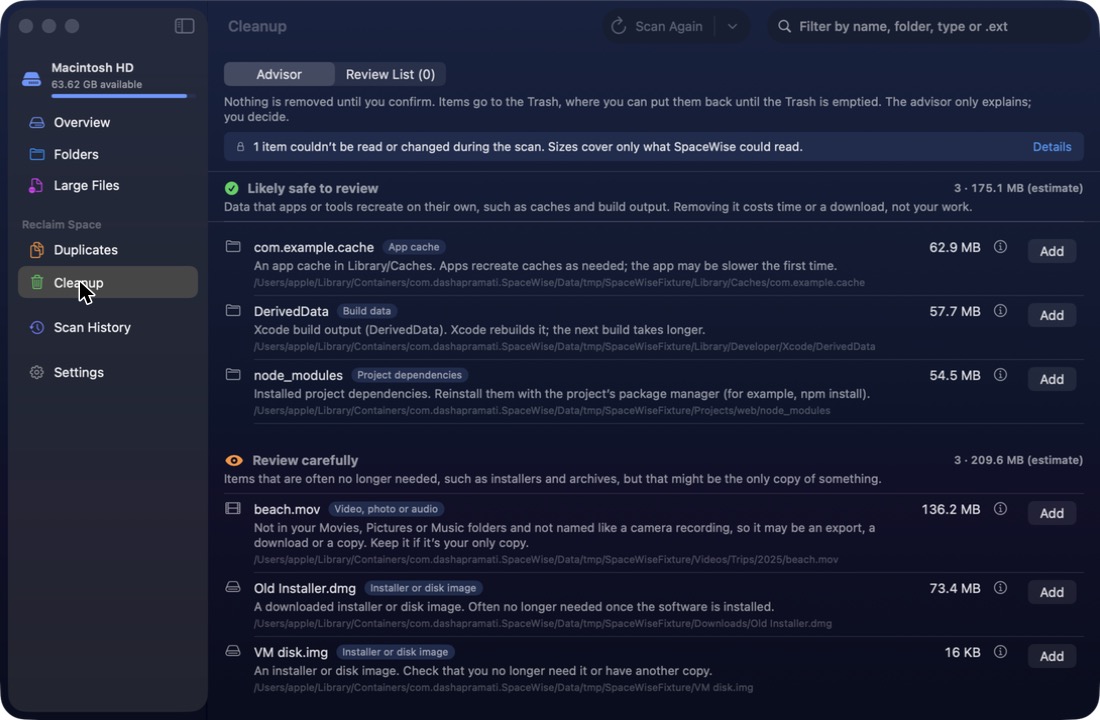
A cleanup advisor that explains itself
Every suggestion says why it was made and what removing it would mean. SpaceWise never decides for you.
Careful by design
Nothing happens without you. SpaceWise is built to make every removal deliberate.
- Nothing is removed until you review it and confirm.
- Items go to the Trash, so you can put them back until you empty it. Emptying the Trash is permanent.
- System files, app bundles and app data are blocked as a safeguard.
- Explanations never decide what can be removed; fixed rules do.
- Sizes are estimates, and SpaceWise says so.
You decide what to remove and are responsible for those choices. Suggestions are a guide, not a guarantee, so check each item and keep a backup of anything important. Terms of use
Private. Really.
SpaceWise has no network access at all. It doesn’t collect, upload or share anything, and it reads only the folders you choose.
No network access
No analytics, telemetry, accounts or ads. The app makes no network connections.
Stays on your Mac
Scan history and settings are stored only in the app’s own folder on your Mac.
On-device intelligence
Explanations are written by Apple Intelligence on your Mac. File contents are never read for them.